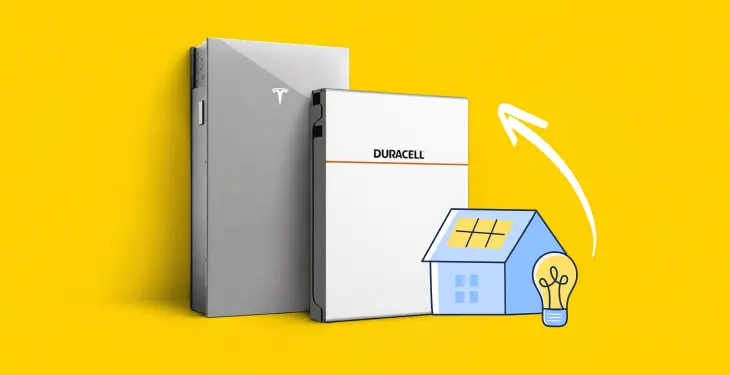
Tesla Powerwall 3 Price UK: 2026 Installed Costs


Written by Bethany Armstrong
Renewables Manager
Updated:
11 min read
A clear guide to Tesla Powerwall 3 pricing in the UK, what affects installation costs, and how approval and export setup work
In this article
Key takeaways
- A Powerwall 3 installation typically lands between £7,500 and £12,000 fully installed, with the final figure shaped by backup requirements, wiring and whether solar is included.
- Battery-only retrofits and solar-plus-battery installations carry different cost structures, and the Backup Gateway is a separate, necessary line item for whole-home backup.
- Savings depend heavily on your electricity tariff and how much solar you generate, so a realistic payback estimate needs your own usage data rather than a generic calculation.
A Tesla Powerwall 3 typically costs in the region of £7,500 to £12,000 fully installed in the UK, with the 13.5 kWh battery and integrated inverter forming the largest part of that figure and the Backup Gateway, labour and electrical work making up the rest.
Configuration | Battery capacity | Installed from | With optional Gateway |
|---|---|---|---|
Powerwall 3 | 13.5 kWh | £7,945 | £8,940 |
Powerwall 3 + Expansion | 27 kWh | £12,545 | £13,540 |
Six Longi 485W panels + Powerwall 3 | 13.5 kWh | £11,285 | £12,280 |
Six Longi 485W panels + Powerwall 3 + Expansion | 27 kWh | £15,885 | £16,880 |
Advertised starting prices checked 19 October 2026, including installation and VAT. Gateway totals are calculated by adding iHeat’s advertised £995 installed option.
Quotes vary considerably depending on whether the battery is going in on its own or alongside a new solar install.
If you need the Tesla Gateway this is also an additional cost starting around £995 installed.
At iHeat, we work with homeowners weighing up solar and home battery storage every week, and one theme comes up constantly: the headline price for a battery rarely matches the number on a final written quote.
How Much Does a Powerwall 3 Cost Installed in 2026?
When assessing the overall Tesla Powerwall 3 cost, a fully installed system generally costs between £7,500 and £12,000 in the UK.
This covers the 13.5 kWh battery, its built-in inverter, and necessary electrical work.
Where you land in that range depends on whether the battery is a standalone retrofit or part of a new solar installation, and on how much rewiring your consumer unit and cabling need.
What Is a Realistic Budget for a Battery-Only Installation?
A battery-only Powerwall 3 installation, added to a home with no solar panels or an existing solar array already in place, sits toward the lower to middle part of that £7,500 to £10,000 range.
This kind of retrofit avoids scaffolding and roof work, so the bulk of the cost is the unit itself, the Backup Gateway and labour for the electrical connection.
Older consumer units or long cable runs to where the battery is mounted push the price up.
How Does Adding Solar Change the Total Price?
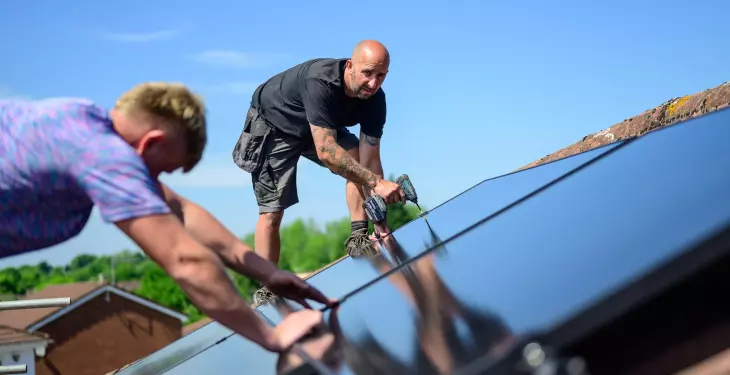
Pairing a Powerwall 3 with a new solar panel array adds the cost of the panels, mounting and roof work on top of the battery price, but it can be better value than fitting the two separately.
The Powerwall 3 has an integrated hybrid inverter, a new solar installation does not need a separate string inverter bought and fitted alongside it.
What Should an Installed Quote Include?
When comparing quotes, check:
The battery model and number of Expansion units.
Whether a Gateway and backup installation are included.
Which circuits will work during a power cut.
The agreed charging and output settings.
Cable routes and any electrical upgrades.
Grid-connection paperwork, commissioning and aftercare.
The complete installed price, including VAT.
Which System Configuration Are You Paying For?
The configuration you choose, battery-only or solar-plus-battery, and backed-up or non-backup, changes both the price and what the system can actually do for your household.
These two decisions are the ones most likely to move your quote away from a generic headline figure.
Battery-Only vs. Solar and Battery
A battery-only setup stores electricity you buy from the grid, typically charged overnight on a cheaper tariff and used during the day or evening.
A solar battery setup instead stores your own solar generation for when the sun goes down, which is built around solar self-consumption rather than buying from a cheaper tariff.
Installing a versatile home battery storage system gives you flexible control over import and export cycles.
Some households do both: charging from solar in summer and topping up from a cheap overnight rate in winter when generation is low.
Backup Power vs. a Lower-Cost Non-Backup Setup
Whole-home backup during a power cut requires the Backup Gateway 2 and is the Powerwall 3's standout feature over many rival batteries.
A non-backup configuration, where the battery only shifts electricity use for bill savings and does not power the home during an outage, is a simpler and cheaper install.
If backup matters to you, particularly in an area prone to power cuts, the Gateway and the extra wiring are worth budgeting for from the outset.
Tesla's Storm Watch feature will automatically charge the battery to full ahead of forecast severe weather where whole-home backup is configured.
When Is an Expansion Unit Worth the Extra Cost?
An expansion unit adds another 13.5 kWh of storage without a second inverter, since it plugs into the Powerwall 3's existing electronics via an expansion harness.
Up to three expansion units can be added to a single Powerwall 3, taking total storage to 54 kWh across the combination.
This is worth the extra cost for larger homes with high overnight demand, a heat pump, or an electric vehicle charged predominantly at home, where a single 13.5 kWh unit would be exhausted most nights.
Tesla Powerwall 3 technical specifications
Specification | Powerwall 3 UK specification | What it means |
|---|---|---|
Usable battery energy | 13.5 kWh AC¹ | How much energy the battery stores. |
Nominal AC output at 230 V | Configurable from 3.68 to 11.04 kW | Your commissioned setting limits simultaneous appliance demand. |
AC charging power, without Expansion | Configurable up to 5 kW | A short cheap-rate window can limit how much you recharge. |
Maximum solar input | 20 kW STC | Solar-array input capacity, not battery output. |
Dimensions, H × W × D | 1,105 × 609 × 193 mm | Installation also needs suitable access and clearances. |
Weight | 130 kg | Mounting and positioning need assessment. |
Backup | Backup Gateway 2 required | Agree which circuits the system will support. |
Manufacturer warranty | 10 years, subject to terms | Reliable internet connectivity is required for the full term. |
Will One Powerwall 3 Suit Your Home?
The right battery size depends on how much electricity you need to store and when you use it. Consider:
How much electricity do you use outside cheap charging hours?
How much surplus solar could you store?
Can the battery recharge within your cheap-rate window?
Which appliances would you want running during a power cut?
What Do 13.5 kWh of Storage and Power Output Mean in Practice?
A single Powerwall 3 stores 13.5 kWh of usable energy, enough to cover a substantial share of an average UK home's daily electricity use, particularly overnight and into the evening peak.
Continuous AC output ranges up to 11.04 kW depending on the configuration selected during installation, comfortably covering typical household loads including an electric shower or an oven running at the same time as other appliances.
Can It Work with Existing Solar Panels?
Yes, a Powerwall 3 can be installed on a home with existing solar panels, and it can also be installed with no solar on site at all as a standalone battery.
Where solar is already in place, it typically connects as AC-coupled solar, meaning the existing solar inverter stays in place and the Powerwall 3 works alongside it rather than replacing it.
This differs from a new installation, where the panels connect directly into the Powerwall 3's own inverter for a simpler, more efficient DC-coupled setup.
How Might a Heat Pump or EV Charger Affect Battery Sizing?
A heat pump or EV charger adds significant electricity demand, particularly in winter, which is worth factoring in before settling on a single Powerwall 3.
A heat pump running through cold months can draw considerably more overnight electricity than a gas boiler household, and a home charging an EV regularly may exhaust one battery's storage well before morning.
Homes with either or both are the clearest candidates for an expansion unit, or for sizing the system around actual winter consumption rather than a typical summer day.
What Happens During a UK Installation?
Survey, Design and Electrical Checks
Assess your home. Check the electrical supply, battery position, cable routes and any existing solar equipment.
Confirm the design and approvals. Agree the equipment, backup coverage and any required grid-connection approval.
Install and test. Fit the equipment, commission the system and check its operation.
Complete the handover. Demonstrate the Tesla app, explain any backup settings and provide the installation and warranty documentation.
When Is G99 Approval Needed?
G99 approval from the local network operator is required above certain export thresholds per phase, and it applies to a Powerwall 3 installed with solar generation capable of exporting to the grid.
This approval is a formal notification process with the district network operator and can add lead time to a project, so it is worth asking an installer at quote stage whether your proposed system will need it and how long it typically takes locally.
How Are the System and Warranty Handed Over?
Once commissioned, the installer talks the homeowner through the Tesla mobile app, confirms which circuits are on backup if the Backup Gateway 2 is fitted, and registers the Powerwall 3 warranty.
The battery carries a 10-year warranty, though maintaining the full term depends on the unit staying connected to the internet so Tesla can issue remote firmware updates; without that connection for an extended period, the warranty may be limited to four years.
A Tesla Certified Installer carries out the physical commissioning and registration with Tesla directly.
Powerwall 3 vs. Powerwall 2: What Has Changed?
When weighing Powerwall 3 vs Powerwall 2, the newer generation replaces the Powerwall 2's separate inverter arrangement with a fully integrated solar inverter. It also increases power output and solar input capacity considerably.
For homeowners reviewing Powerwall 2 vs Powerwall 3, the practical differences sit mainly in inverter design and installation flexibility. Understanding these upgrades helps clarify which model suits your home's setup.
Capacity, Output and Inverter Differences
Both Powerwall 2 and Powerwall 3 store 13.5 kWh of usable energy, but the two differ meaningfully in continuous capability. Powerwall 2 provides a maximum continuous real power rating of 5 kW, rising to 7 kW for ten seconds in backup mode.
Powerwall 3 outputs up to 11.04 kW continuous AC and accepts up to 20 kW of solar input through its integrated solar inverter with three MPPT trackers. This allows it to manage large arrays directly without an additional string inverter.
What Existing Powerwall 2 Owners Should Check
Homeowners with an existing Powerwall 2 do not need to replace it to add capacity in most cases, since the two generations serve the same core function of storing solar or grid electricity for later use.
Anyone comparing the two before a new installation should weigh Powerwall 3's higher output and larger built-in solar input against Powerwall 2's now well-established track record. Both carry a 10-year warranty under Tesla's European warranty terms, with the same internet-connectivity condition for maintaining the full term.
How Does Powerwall 3 Compare with Other Batteries?
Powerwall 3 sits in the middle to upper part of the UK home battery market on price, and its integrated inverter and whole-home backup are the main reasons for that position.
Comparing it fairly against alternatives means looking at installed cost for a complete system, not just a unit price.
System | Usable capacity | Inverter | Backup capability |
|---|---|---|---|
Tesla Powerwall 3 | 13.5 kWh (to 54 kWh with expansions) | Integrated | Whole-home, with Backup Gateway 2 |
Sigenergy SigenStor | ~5 to 48 kWh, modular | Integrated | Whole-home configurable |
Fox ESS | 5.8 to 15 kWh | Separate or integrated by model | Varies by model |
Enphase IQ Battery 5P | 5.0 kWh | AC-coupled, integrated microinverters | Depends on system design |
Comparing Installed Cost Rather Than Unit Price
A unit price alone tells you little, because hardware, inverters, gateways and labour are bundled differently across brands.
Sigenergy's SigenStor combines a hybrid inverter and modular battery stack in one enclosure, similar to Powerwall 3's integrated approach. UK homeowners also frequently consider GivEnergy systems, such as the GivEnergy All in One, which delivers reliable capacity alongside flexible off-peak scheduling.
Fox ESS offers a wide range of battery and hybrid inverter combinations with a large installer base. Enphase uses AC-coupled microinverters built into its IQ Battery 5P, backed by a 15-year warranty. For a deeper breakdown, explore our guide to Tesla Powerwall alternatives.
When Might a Modular or Smaller System Make More Sense?
A modular system such as SigenStor suits a household that wants to start smaller and add capacity later without replacing existing hardware, since additional modules stack onto the same controller.
A smaller single unit, such as Enphase's 5.0 kWh IQ Battery 5P, suits a household with modest evening demand or one already using Enphase microinverters on its solar array.
Powerwall 3 makes most sense where whole-home backup, a single proven app ecosystem and one integrated unit for a larger solar array are the priorities, rather than the lowest possible cost per kWh.
Last updated: